
ZoomDH – Ar Condicionado IR Universal v2026.10.29

Visão geral
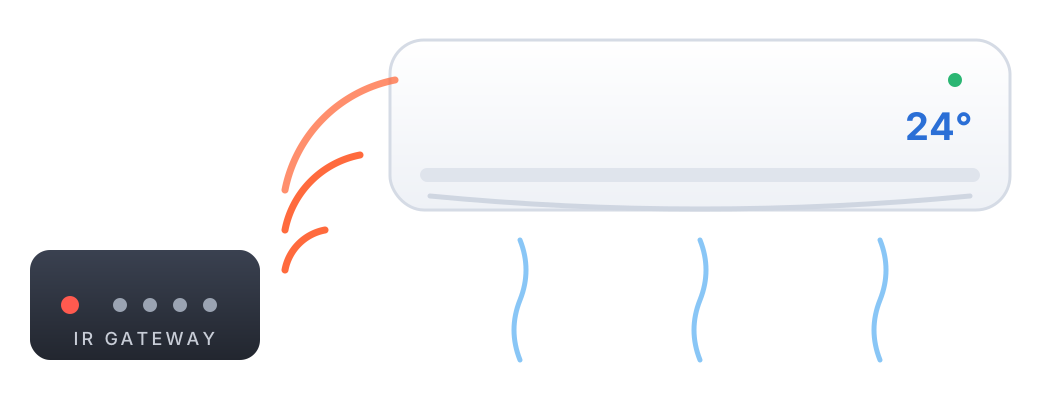
Este driver transforma no Nice/ELAN qualquer ar condicionado com controle remoto infravermelho em um termostato completo: liga e desliga, modo (frio, quente, automático, desumidificar e ventilar), ventilação e temperatura. Os códigos de cada modelo vêm do banco de códigos IR da ZoomDH, o mesmo dos drivers para Control4 e Crestron Home, com mais de 70 modelos das principais marcas.
O driver é instalado como um Communication Device (o gateway IR) e cada ar condicionado é um termostato dele. O instalador escolhe a marca e o modelo do controle remoto e a saída IR de cada ar; o driver baixa os códigos e passa a mandar o código certo a cada mudança no termostato.
Recursos suportados
- Vários ares por gateway, um termostato por saída IR.
- Modos Off, Cool, Heat, Auto, Dehumidify e Fan. Só aparecem na tela os modos que o modelo tem.
- Ventilação Auto, Low, Medium, High, Quiet e Turbo, também conforme o modelo.
- Temperatura na faixa do modelo, com temperatura separada para aquecimento. Toques seguidos na temperatura viram um único código.
- Swing e comandos extras do controle (Turbo, Sleep, Swing etc.) pelo Event Mapper.
- Controles só com liga/desliga (power macro): o driver manda primeiro um código que sempre liga, para saber o estado antes do comando.
- Send Power On First e Hide Heat por ar condicionado.
- Funciona sem internet depois de configurado: os códigos ficam gravados no controlador.
- Status do gateway e de cada ar no ELAN (verde/vermelho).
O controle por infravermelho não tem retorno: o termostato mostra o último comando enviado. Se o ar for ligado pelo controle remoto original, o ELAN não fica sabendo. A temperatura ambiente mostrada é a temperatura desejada (não há sensor).
Gateways IR
Os controladores ELAN não liberam as saídas IR próprias para drivers de terceiros, então o driver usa um gateway IR na rede:
| Gateway (campo IR Gateway) | Porta TCP | Saídas IR |
|---|---|---|
| ControlArt 7Port | 4998 | 1 a 7, blaster 8 |
| ControlArt 4Port (7Port Mini) | 4998 | 1 a 3 |
| ControlArt 7Port Serial | 4998 | 2 a 7, blaster 8 |
| ControlArt xPort Pro | 4998 | 2 a 7, blaster 8 |
| Home Manager IR Pro | 29090 | 1 a 8 |
| Home Manager IR+RF Pro | 29090 | 1 a 8 |
| Global Cache iTach (IP2IR e compatíveis) | 4998 | 1 a 3 |
A porta é escolhida pelo tipo de gateway. Os emissores IR (ou o blaster) do gateway ficam apontados para cada ar condicionado.
Pré-requisitos
- Um gateway IR da lista acima, com IP fixo na rede do controlador.
- A marca e o modelo do controle remoto de cada ar na lista de zoomdigitalhome.com.br/termostatos.
- Internet no controlador na hora da configuração, para baixar os códigos. Depois o driver funciona sem internet.
Instalação
- No Nice Configurator, na guia Climate, adicione um Communication Device e importe o driver ZoomDH Universal IR Air Conditioner.
- Digite o IP do gateway e escolha o gateway em IR Gateway.
- Insira a chave de licença em License Key.
- Clique em Add Air Conditioner uma vez para cada ar condicionado. Cada clique cria um termostato na próxima saída IR livre do gateway (o endereço do termostato é a saída:
1,2...). Renomeie os termostatos e ligue cada emissor na saída correspondente. - Na página Air Conditioner de cada termostato, digite a marca em Brand (basta parte do nome, maiúsculas e acentos não importam) e aplique. O campo Status mostra os modelos da marca numerados, lidos do servidor na hora. Digite em Model o número ou parte do nome e aplique: o driver completa os campos com o nome certo e o Status mostra Modelo carregado. Modelos novos no banco aparecem na lista sem atualizar o driver.
- Teste ligando o ar pelo termostato. Se o aparelho não responder, confira a posição do emissor e tente IR Repeat 2.
Campos de configuração
Communication Device (gateway)
| Campo | Descrição |
|---|---|
| IP Address | IP do gateway IR. |
| IR Gateway | Tipo do gateway (define a porta, o protocolo e as saídas válidas). |
| IR Repeat | Quantas vezes cada código é repetido (1 a 5). Aumente só se o ar não obedecer sempre. |
| License Key | Chave de licença para uso do driver. |
| License Status | Status da licença e tempo restante de avaliação (somente leitura). |
| Driver Information | Mensagens de status do driver (somente leitura). |
| Developer Debug | Log detalhado, com cada código enviado. Deixe desativado em uso normal. |
| IR Codes | Situação da lista de modelos, por exemplo 74 modelos de 32 marcas (somente leitura). |
| Add Air Conditioner | Botão: cria um termostato (ar condicionado) na próxima saída IR livre. |
| Reload IR Codes | Botão: baixa de novo a lista e os códigos de todos os ares (use quando a ZoomDH avisar de uma correção de códigos). |
Termostato (página Air Conditioner)
| Campo | Descrição |
|---|---|
| Address | Saída IR do gateway (campo de endereço do termostato). |
| Brand / Model | Marca (nome ou parte dele) e modelo (número da lista do Status, nome ou parte dele). |
| Status | Modelo carregado ou o motivo do erro (somente leitura). |
| Send Power On First | Yes manda o código de ligar antes do código do modo, quando o ar estava desligado. Use se o aparelho não liga só com o código do modo. |
| Hide Heat | Yes esconde o modo Heat (ar só frio com controle quente/frio). |
Comandos no Event Mapper
Além dos comandos do termostato, o driver aceita:
- All Off e All On (Execute Function): desliga todos os ares / liga todos no último modo.
- Send Command... com o texto
<endereço> <comando>, ou só<comando>para todos os ares. Comandos:ON,OFF,SWING(alterna),SWING ON,SWING OFFou o nome de um extra do modelo, por exemplo1 Turbo.
Funcionamento e limites
- Com o ar desligado, mudar temperatura ou ventilação só guarda o valor; ele é enviado quando o ar for ligado.
- Os códigos são enviados com 250 ms de intervalo. Toques seguidos no termostato viram um código só (700 ms).
- Com o gateway sem conexão, os comandos são recusados e o termostato volta ao estado real. O driver reconecta sozinho a cada 5 s.
- A lista de modelos e os códigos são baixados do servidor da ZoomDH com a licença (ou no período de avaliação) e ficam gravados no controlador.
Solução de problemas
| Mensagem | O que fazer |
|---|---|
| IP do gateway nao configurado / Gateway IR sem conexao | Confira o IP, o tipo em IR Gateway e se o gateway responde na rede. |
| Saida IR invalida | O endereço do termostato não é uma saída do gateway escolhido (ver tabela de gateways). |
| Marca nao encontrada / Modelo nao encontrado | O Status lista as marcas, ou os modelos da marca numerados: digite o número do modelo. |
| Download nao autorizado: confira a licenca | Período de avaliação encerrado sem licença válida para este controlador. |
| Limite diario de downloads atingido | Tente de novo no dia seguinte. |
| Sem acesso ao servidor de codigos | Confira a internet do controlador. Ares já configurados continuam funcionando. |
- O ar não responde: confira o emissor (posição e saída), teste IR Repeat 2 e Send Power On First Yes. Ative o Developer Debug para ver cada código enviado.
- Liga, mas no modo ou temperatura errados: o controle remoto provavelmente é de outro modelo da mesma marca; teste outro modelo da lista.
Licenciamento
- Este driver funciona por um período de avaliação de 7 dias. Após esse período, é necessário inserir uma chave de licença para continuar operando.
- Uma licença por driver (gateway), vinculada ao controlador ELAN. Ela vale para todos os ares do gateway.
- Sem licença válida, o driver não envia comandos nem baixa códigos.
- Licenças podem ser obtidas pelo e-mail drivers@zoomdigitalhome.com.br.
Suporte e Atualizações
- Atualizações disponíveis são exibidas em License Status.
- Download de drivers: www.zoomdigitalhome.com.br/drivers
- Lista de modelos: www.zoomdigitalhome.com.br/termostatos
- Suporte: drivers@zoomdigitalhome.com.br
Release Notes
| Versão | Data | Descrição |
|---|---|---|
| 2026.10.29 | 2026-10-29 | Versão inicial. |