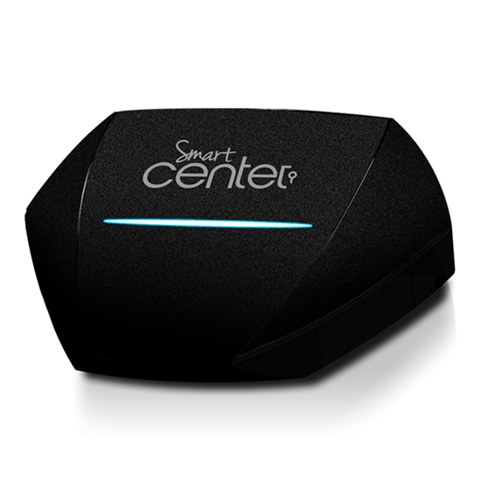
Integration driver for the Home Manager automation system through the Smart Center IP controller. It works as a gateway: it talks to the Smart Center over TCP on the local network and serves the Home Manager device drivers (dimmers, relays, blinds, sensors, air conditioning, etc.) through the HMBus connection.
The driver lists the devices registered in the Smart Center, automatically renames the project devices to the names set in Home Manager, and lets you query status and manage the links with the device drivers. It also exposes the Smart Center's 6 IR outputs to Control4.
Home Manager Smart Center IP
Prerequisites
Smart Center IP running software HM 72 or later.
IP integration enabled on the Smart Center (see Installation).
Control4 controller and Smart Center on the same local network.
Internet access on the controller for license activation and checks.
Installation
In the Smart Center configuration interface, open Integração IP, select Habilitar Comandos TCP and click OK.
Add the ZoomDH – Home Manager Smart Center IP driver to the project in Composer Pro.
Enter the Smart Center IP in IP Address. The default TCP port is 18080; only change TCP Port if it was changed on the Smart Center.
Check Connection Status for the connection. Then Smart Center SW Version shows the Smart Center software version.
Add the Home Manager device drivers and connect them to Smart Center (HMBus connection, made automatically by Composer).
Home Manager devices
Each device driver picks, among the IDs available on the Smart Center, which Home Manager device it represents. When linked, the project device is renamed to the name registered in Home Manager.
A linked ID is no longer offered as available to other drivers.
After removing a device on the Smart Center, run Refresh IDs to update the list.
To free an ID held by a driver that no longer exists, use Force Release One Linked ID.
Since version 300, device drivers with several devices per driver are supported, keeping compatibility with 2xx device drivers.
Properties
Property
Description
License Key
Driver license key.
License Status
License status and update information.
Control4 MAC Address
Controller MAC, used for licensing.
Driver Name / Driver Version
Installed driver name and version.
Log Level
Log detail level (0=Alert … 5=Trace).
Log Mode
Log destination: Off / Print / Log / Print and Log.
IP Address
Smart Center IP address.
TCP Port
IP integration TCP port. Default: 18080.
Connection Status
Connection status with the Smart Center.
Command Delay Milliseconds
Delay between commands sent to the Smart Center (100–1000 ms). Default: 250.
Smart Center SW Version
Smart Center software version, read after connecting.
Driver Information
Driver status messages.
Actions
Action
Description
Query Devices Status
Requests the status of all devices configured on the Smart Center.
Show Linked Devices
Shows the Home Manager devices linked to device drivers in Composer.
Refresh IDs
Clears and rebuilds the list of devices available on the Smart Center. Existing links are kept.
Force Release One Linked ID
Unlinks the selected Home Manager device from its Control4 driver, making it available again.
Force Release All Linked IDs
Unlinks all Home Manager devices from Composer drivers (confirm with Yes). All devices must be linked again.
Connections
ID
Connection
Use
100
Smart Center (HMBus)
Bus for the Home Manager device drivers. Connected automatically.
1–6
IR Output 1–6 (IR_OUT)
Smart Center IR outputs, to control infrared equipment from Control4.
Troubleshooting
Connection Status does not connect: check the IP, the port and that Habilitar Comandos TCP is enabled on the Smart Center.
A device shows an ID already deleted: run Refresh IDs.
An ID is not offered as available: it may be linked to another driver; check Show Linked Devices and free it with Force Release One Linked ID.
License deactivated right after entering the key: the controller needs internet access. In versions before 20261010, project names with accents (e.g. "João") prevented activation; update the driver.
Licensing
A 30-day trial is included; remaining time is shown in License Status.
After purchasing a license, enter the key in License Key. The status changes to Ativada.
The controller needs internet access for activation and periodic re-checks.
Once a day, also during the trial, the driver reports technical data of the installation to the license server (controller model and version, driver version, project name and license state). No personal data is sent. When a new driver version is available, it shows in License Status with the link to the driver page on the website.
The driver now reports the installation's technical data to the license server once a day, which speeds up support. It also shows in License Status when a new driver version is available.
20261012
12/10/2026
Licensing library update.
300
17/01/2024
Support for device drivers handling multiple devices. Keeps compatibility with 2xx device drivers.
211
08/08/2023
Workaround for a CORE controller bug in table data exchange between device drivers.
210
28/09/2022
Fixed a variable error. Licensing system update.
209
12/12/2021
Compatibility with the new Smart Center with 6 IR ports.
208
07/10/2021
License control update, 7-day trial.
207
06/01/2021
Fixed the available ID list, which showed IDs already deleted on the Smart Center.
206
15/05/2020
Fixed processing of offline device feedback.
205
06/12/2019
Device driver package with a fix for ID errors after controller restart.
204
03/12/2019
Fixed automatic update of free IDs.
203
02/12/2019
Added command to unlink all IDs in the Actions tab.
202
28/11/2019
New improved version.
201
14/11/2019
Fixed device name update when changed in Home Manager.
200
18/08/2019
Licensing improvements, with driver update information.
112
01/11/2018
Workaround for a Control4 error with Director before 2.10.
111
19/07/2018
Added Force Release ID command in the Actions tab.
110
05/07/2018
ID listing for device identification and automatic renaming to the Home Manager name.