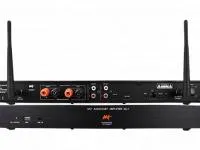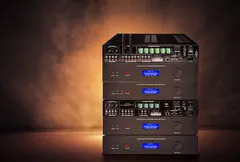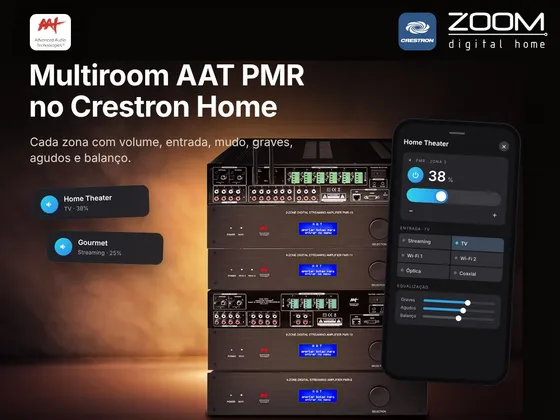
Driver that integrates AAT PMR multiroom amplifiers, all models, with Crestron Home over the network. Each PMR zone shows up as a device that the integrator places in a room, with power, volume, mute, input selection, bass, treble and balance.
It includes a logarithmic volume mode, which makes up for the PMR only becoming audible near half volume, a maximum volume per zone and zone and input names set in the configuration. Changes made on the device panel or by another system show up in Crestron Home.
Installation
- Import ZoomDH_AAT_PMR.pkg into the processor with Crestron Home Setup
- Add the AAT → PMR Multiroom device
- Fill in the multiroom IP and, if you like, the zone and input names, each zone’s maximum volume and the License Key (the driver has a 30-day trial)
- In Pair Devices, open the AAT PMR row and add each zone to its room
Features
- Each PMR zone as a Crestron Home device: power, volume and mute
- Selection of the 8 inputs per zone, with the names set in the configuration
- Bass, treble and balance on each zone page
- Configurable maximum volume per zone
- Linear or logarithmic volume mode
- Turns the multiroom on and off and turns every zone off at once
- Real device feedback, including changes made outside Crestron Home
- Programmable commands for scenes and events
- Screens in Portuguese and English
Requirements
- Multiroom firmware 1.13 or later
- Multiroom with fixed IP or DHCP reservation (TCP ports 5000 or 1024)
- Crestron Home 4-Series processor
Release notes
- 2026111101
The driver now reports the installation's technical data to the license server once a day, which speeds up support. It also shows in License Status when a new driver version is available.
- 2026102601
First release: each AAT PMR multiroom zone becomes a Crestron Home device, with power, volume, mute, input, bass, treble and balance, maximum volume per zone and logarithmic volume mode. ZOOM license.