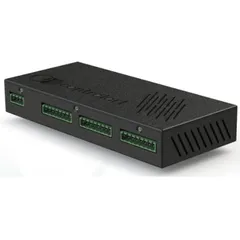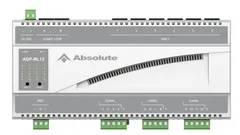
Driver for integrating ControlArt IP automation modules with Control4. The inputs can be bound to standard contact sensor drivers or to the ZoomDH Keypad Dry Contact keypad driver, and the outputs to standard relay drivers or to the ZoomDH Switch lighting driver.
Channels configured as shades are controlled by the ZoomDH Controlart IP Blind driver, and the mode of each input (pulse or switch) is set individually.
Installation
- Set the module IP and port with ControlArt software.
- Add the driver to the project and select the model in “Module Model”.
- Enter “IP Address” and “TCP Port” (default 4998).
- In “Input X Mode”, select the mode configured for each input (pulse or switch).
- Bind the inputs and outputs to the desired sensor, keypad, relay, lighting or shade drivers.
Features
- Inputs bound to contact sensors or to the ZoomDH Keypad Dry Contact keypad driver
- Outputs bound to relays or to the ZoomDH Switch lighting driver
- Channels configured as shades, with the ZoomDH Controlart IP Blind driver
- Individual operating mode per input (pulse or switch)
- Click and long-click events on newer firmware
- Compatible with the new module line with a new processor
Requirements
- Module configured beforehand (IP and port) with ControlArt software
More details about this driver: drivers@zoomdigitalhome.com.br