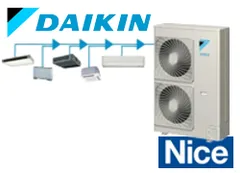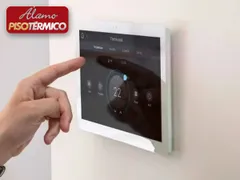
The Daikin VRV Modbus driver integrates Daikin VRV air conditioning systems with Control4 automation through the DTA116A51 Modbus adapter. Each indoor unit shows up in Control4 as an independent thermostat, ready to use in Navigator, scenes and programming.
The package contains three drivers that work together:
- ZoomDH Daikin VRV DTA V2: manages the system and discovers the indoor units
- ZoomDH Daikin Modbus Bridge: handles Modbus RTU communication with the adapter
- ZoomDH Universal HVAC Indoor Unit: one instance per indoor unit
Installation
- Set the DIP switches on the DTA board:
- DS1 = 1:OFF, 2:ON, 3:OFF, 4:ON (19,200 bps, 1 stop bit, odd parity)
- DS2 = 1:OFF, 2:OFF, 3:OFF, 4:ON (address 1)
- Connect the adapter RS-485 terminal (A+/B-) to the controller RS-232 serial port using an RS-232/RS-485 converter.
- Add the Daikin VRV DTA V2 driver to the project (the Modbus Bridge is added automatically).
- Add a Universal HVAC Indoor Unit driver for each indoor unit and bind it in the Connections tab.
- Enter the Adaptor ID (1 with the settings above) and the License Key.
Note: most RS-232/RS-485 converters only work with external power.
Features
- Individual control of each indoor unit (on/off, mode, setpoint and fan speed)
- Support for multiple outdoor units on the same bus
- Indoor units with up to 5 fan speeds
- One Control4 indoor unit for each indoor unit, named automatically
- Works with the ZoomDH thermostat group driver
- Room temperature and adapter status read in real time
Requirements
- Daikin DTA116A51 adapter installed on the VRV system
- RS-232/RS-485 converter (preferably externally powered)
- Free serial port on the Control4 controller
Release notes
- 20261012
Licensing library update.
- 20260803
New version compatible with the Universal HVAC Indoor Unit driver.
- 308
Receive buffer adjusted so corrupted data no longer causes feedback processing errors.
- 307
Updated the communication library and changed parity to odd.
- 306
Added support for the multiple thermostat control driver.
- 305
Added support for indoor units with 5 fan speeds.
- 304
New driver architecture, with support for multiple outdoor units.
- 303
Documentation update.
- 302
Updated the status synchronization of the indoor units.
- 300
Initial release.