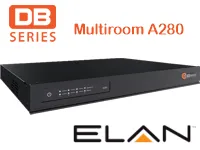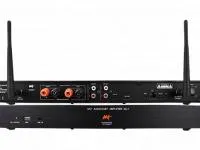
Driver for integrating the DB Series A280 multiroom amplifier with Control4 over Ethernet. The device has 4 inputs and 4 mono zones with 400 W per zone into 4 ohms.
The outputs can work as 4 mono zones or, by linking A+B and C+D, as 2 stereo zones, with a configurable maximum volume per zone.
Installation
- Set the multiroom operating mode to automation using the DIP switches, as described in the manufacturer’s manual.
- Set the multiroom IP address following the manufacturer’s manual.
- Add the driver and enter “IP Address” and “TCP Port” (default 90).
- Select the output mode in “Output Mode” (4 mono zones or 2 stereo zones).
- Set the maximum volume of each output in “Zone X Max Volume”.
Features
- Control of the 4 zones and selection among the 4 inputs
- 4 mono zones or 2 stereo zones mode (outputs A+B and C+D linked)
- Configurable maximum volume per zone
- Commands to turn the multiroom on, off and restart it
- Configurable keepalive to keep the TCP connection active
Requirements
- Multiroom set to automation operating mode (DIP switches)
- IP address configured as described in the manufacturer's manual
More details about this driver: drivers@zoomdigitalhome.com.br