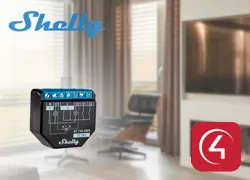
The Shelly Network driver lets Control4 communicate with a wide range of Shelly devices over the local Wi-Fi network, with no hub or cloud service needed and no changes to the devices.
It automatically discovers the Shelly devices on the network and creates the matching module drivers, one per device, simplifying installation in projects with many modules.
Installation
- Set each Shelly device to join the local Wi-Fi network (through the shellyXXX-xxxxxx network and the device web interface, under Internet & Security / WIFI MODE-Client)
- Add the Shelly Network driver to the project first
- Wait for automatic discovery, which starts a few seconds after the driver loads (or use “Start Discovery”/“Reset Discovery”)
- Use the “Add All Discovered Devices” action (Actions tab in Composer) to create a Shelly module driver for each discovered device
- Alternatively, add the Shelly module driver manually and choose the device in the “Device Selector” property
Features
- Local communication over Wi-Fi, no hub and no cloud
- Automatic discovery of Shelly devices on the network (mDNS)
- "Add All Discovered Devices" action creates a module driver for each device found
- Manual device selection with the module driver's "Device Selector"
- Support for Shelly Gen 2+ modules
- Module dry contact inputs as contact sensors, with click and long-press events
- Module links released with the "Release Linked Module" property
Requirements
- Shelly devices connected to the local Wi-Fi network
- Shelly module driver for each device
More details about this driver: drivers@zoomdigitalhome.com.br