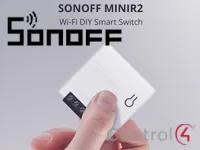
The Sonoff Device Manager lets SONOFF Wi-Fi smart switches talk to Control4 directly over the local network.
The driver requires SONOFF models that support “DIY” mode, which allows control over the network with no cloud connection and no MQTT.
Installation
- Put the SONOFF in DIY mode: power the device and hold the button for 5 seconds to enter the compatible pairing mode (AP)
- Connect to the ITEAD-XXXXXXXXXX network (default password 12345678) from your phone or PC
- Open the device web interface in the browser and enter the Wi-Fi network SSID and password
- Wait a few seconds or restart the device
- Check the added device in the “Driver Information” property or with the “List Devices” action
Features
- Local control of SONOFF switches over the network, no cloud or MQTT
- Automatic discovery of devices in DIY mode
- Dimmer module support
- Nicknames for devices to make selection easier
- Actions to clear devices and links from the driver memory
Requirements
- SONOFF devices in DIY mode
- Devices connected to the local Wi-Fi network
More details about this driver: drivers@zoomdigitalhome.com.br