ZOOM Apple TV controls the Apple TV over the home network, with no infrared and no cloud. Pairing is done from Composer with the code shown on the TV, and from then on the driver knows whether it is on, asleep or playing.
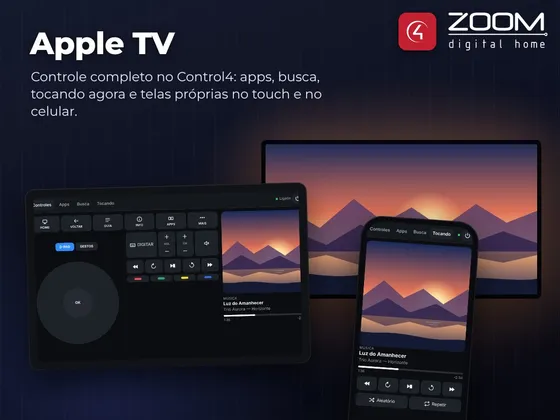
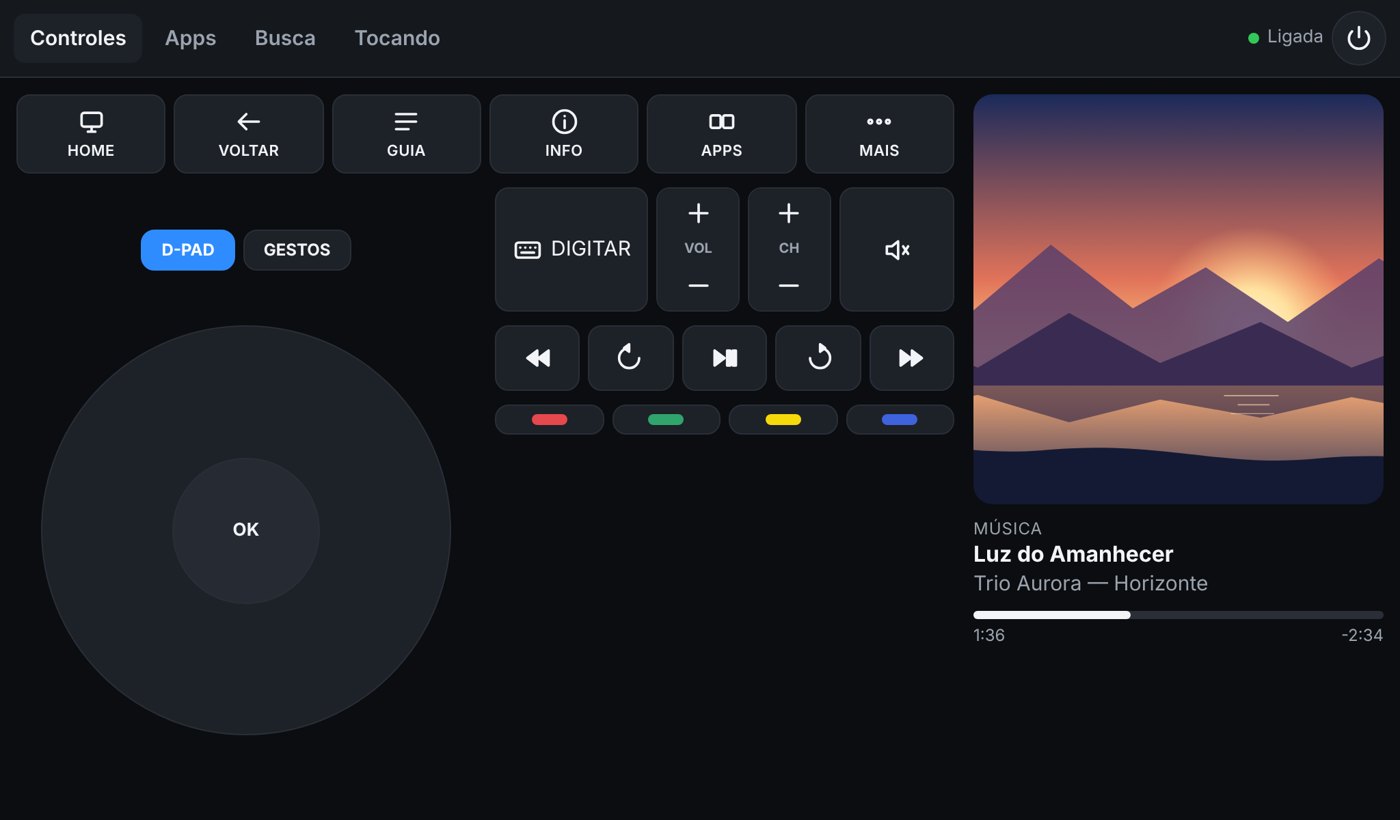
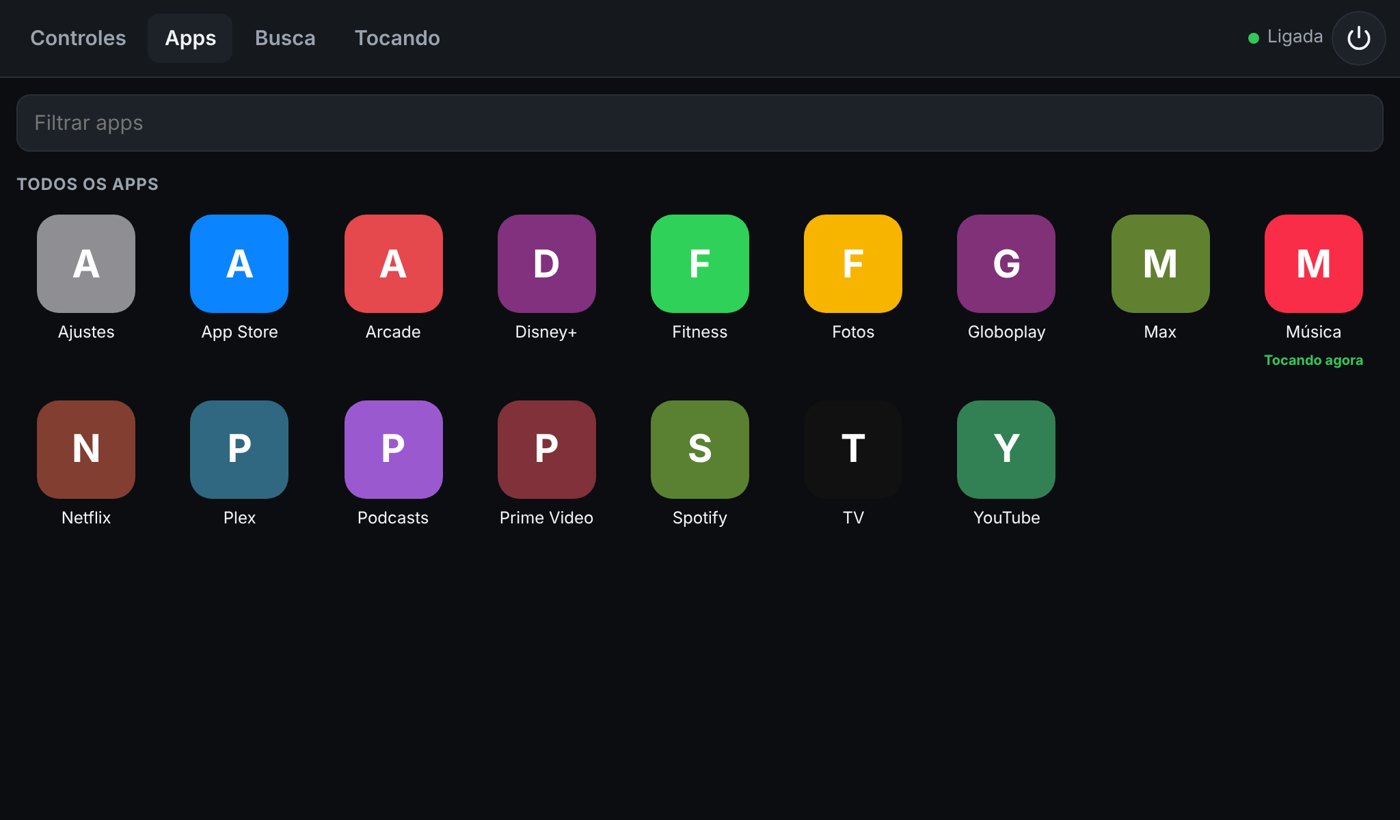
On the Control4 touchscreen and app the driver brings its own pages: controls with D-pad or gestures, every app with icons, search with posters and a now playing page with artwork, time and controls. Apps also show up as sources in the App Switcher, to open straight from the video menu.
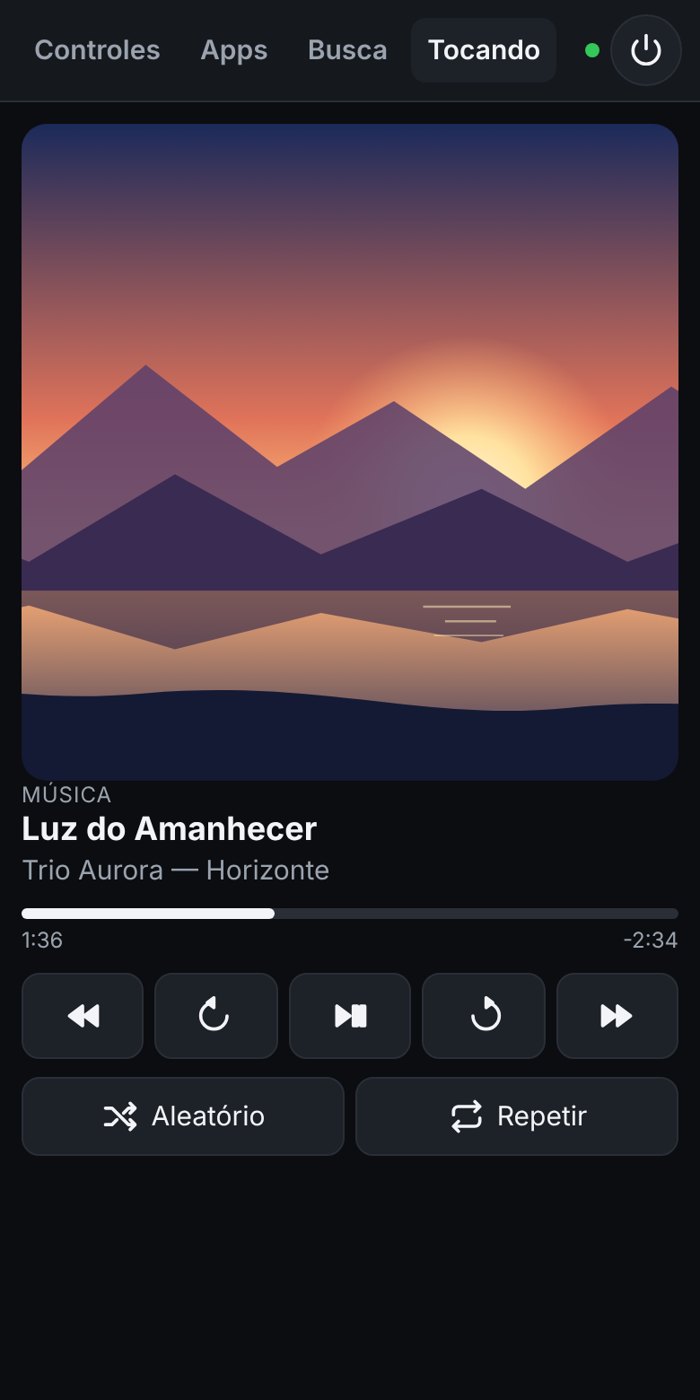
Now playing shows the app, title, artist or series and artwork, with events and variables for programming. The room can turn on by itself when the Apple TV wakes and turn off when it sleeps.
Installation
- Add the ZOOM - Apple TV driver to the room in Composer Pro and bind the video output to the display.
- Run the Discover Device action (or type the IP) and then Pair. Type the code shown on the TV in Enter Pairing Code.
- Run Pair Now Playing and type the second code, for now playing with artwork.
- Enter the key in License Key (the driver has a 30-day trial).
- For the dedicated pages, in each room go to Navigator → Menu Settings and set Apple TV Controls, Apple TV Apps and Apple TV Search as Visible.
Interface
Features
- Pairing from Composer with the code shown on the TV
- Full remote control with tap and hold (menu, back, arrows, play, skip)
- Opens any installed app and up to 50 mini apps in the Control4 App Switcher
- Now playing with app, title, artist or series, time and artwork
- Seek, shuffle and repeat
- Turns the room on when the Apple TV wakes and off when it sleeps (optional)
- Dedicated touchscreen and app pages - controls with D-pad or gestures, apps with icons, search with posters and now playing
- Sends text to the Apple TV search fields
- Events, variables and conditions for programming
Requirements
- Apple TV 4K or Apple TV HD with tvOS 16 or newer
- Apple TV and controller on the same network
Release notes
- 20261119
The driver is now called ZOOM - Apple TV. Touchscreen and app pages: app list, search with posters, artwork (or the app icon when there is none) and the power button now work; controls fit a landscape touchscreen. Icon with a white apple and tv.
- 20261111
Now Playing: open app, title, artist or series, time and artwork, with events and variables for programming. Seek, shuffle and repeat. Auto Room On/Off. Touchscreen and app pages: controls with D-pad or gestures, apps with icons, search with posters and now playing. Icon with the Apple TV logo. The driver now reports the installation's technical data to the license server once a day, which speeds up support. It also shows in License Status when a new driver version is available.
- 20261028
Initial release: discovery and pairing from Composer, remote control with hold, real power and playback state, App Switcher with 50 mini apps, app and link launching, text, user switching and automatic reconnection.