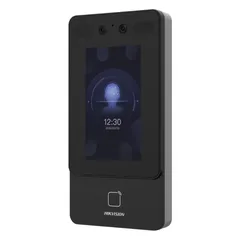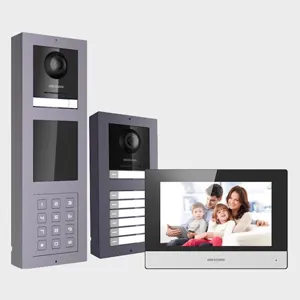
Driver for integrating Hikvision door stations with the Control4 Communication Agent / SIP Server, with audio and video calls to touch screens and mobile devices. Tested with the KV6xx3, KV8xx3, KV9503 and K1T344MX; the last two also offer face recognition and RF-ID.
The driver automatically configures the door station to work with Control4: custom buttons to trigger relays, IP camera, motion detection, push notifications with a snapshot, e-mail and access events.
Installation
- Make sure the door station has been activated with a tool such as Hikvision SADP.
- Set up the Intercom Groups in the Communication Agent before continuing.
- Add the driver and fill in the administrator password, HTTP (80) and RTSP (554) ports, “SIP Username”, “SIP Password”, “Intercom Group to Call” and the custom buttons.
- In the intercom proxy, check Use Custom Button 1 and 2 and adjust the labels.
- In the camera proxy, under Authentication, check Required, enter the admin user and password and confirm the Get H.264 URL test.
- In the Communication Agent, check the endpoint in the group, click Refresh Gateway in the Advanced tab and wait for “Registered”.
- Select File > Refresh Navigators.
Features
- Audio and video calls to Control4 screens and mobile devices
- Door station configured automatically by the driver
- Custom buttons on the intercom to trigger relays
- Door station as an IP camera in the project
- Motion detection alerts and push notifications with a snapshot
- E-mail notifications and access control events
- Face recognition and RF-ID on the KV9503 and K1T344MX models
Requirements
- Intercom groups configured in the Communication Agent
- 4Sight for calls on mobile devices
- Door station activated beforehand (for example, with SADP)
- ZoomDH Hikvision Network driver (license)
Release notes
- 20261012
Licensing library update.
- 20260416
Added support for new facial models (e.g. K1T344MX) and updated the license code.
- 20250828
Door Station: changed the facial and door station events.
- 20250212
Fixed the HTTP server response message to the device.
- 20240705
Initial release.