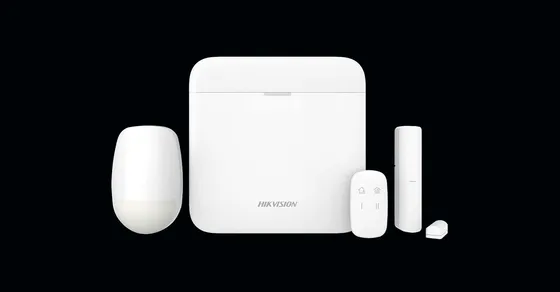
Driver for integrating Hikvision AX PRO and AX Hybrid PRO alarm panels with Control4 over the local network, using the panel’s ISAPI API.
The driver creates the native Control4 security panel with up to 8 partitions and the zones registered on the panel. Each partition can be armed (Away or Stay) and disarmed from the screens, the app and programming, and the state of partitions and zones is updated automatically. When the alarm goes off, the driver flashes the chosen lights, plays the alert on Control4 screens and sends a push notification and e-mail; panel tamper and AC power loss also raise a warning.
Installation
- Add the Hikvision Alarm AX Series driver to the project
- Enter the panel admin user password in “Admin Password” and the IP in “IP Address” (default HTTP port 80)
- Check the connection in “Connection Status”; the panel details appear in Device Name, Model and Firmware
- The partitions and zones enabled on the panel are loaded automatically; assign the partitions to rooms in Room Selection
- Optional: set up e-mails, push notifications and the lights and screens for the alarm actions
Features
- Native Control4 security panel with up to 8 partitions
- Arm (Away / Stay) and disarm each partition from the screens, app and programming
- Partition and zone state (open, closed, bypassed) updated automatically
- Panel tamper and AC power loss warnings
- On alarm, flashing lights and audible alert on Control4 screens
- Push notification and e-mail on alarm, tamper and AC loss
- Daily e-mail summary of active troubles
Requirements
- Hikvision AX PRO or AX Hybrid PRO panel on the local network, with a static IP
- Panel admin user password
- Controller with internet access for the license
Release notes
- 20261010
New licensing library (v6), fixing the license that switched off when the key was entered. Tamper and AC failures now show in the security panel. Alarm actions (lights and screens) activated on alarm. Push and e-mail on alarm, tamper and AC loss. Fixed the AC loss warning (it was inverted), the daily failure summary e-mail and the ARM/DISARM_PARTITION_WITH_CODE programming commands. New HTML documentation (PT/EN).
- 300
Final beta.