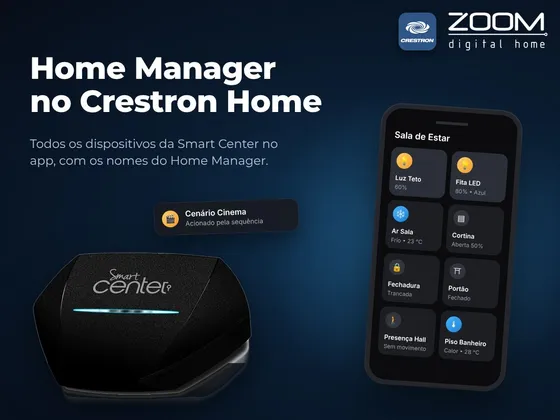
Driver that integrates the Home Manager automation system with Crestron Home through the Smart Center controller on the network (software HM 72 or later).
The driver reads the list of devices configured on the Smart Center and creates each one in Crestron Home, with the name set in Home Manager: lights, dimmers, RGB, shades, gates, air conditioners, floor heating, sensors, door locks and input modules. Smart Center scenes can be run from the driver page and from sequences. Changes made in Home Manager or by another system show up in Crestron Home.
Installation
- In the Smart Center configuration interface, open “Integração IP”, select “Habilitar Comandos TCP” and click OK
- Import ZoomDH_HomeManager_SmartCenter.pkg into the processor with Crestron Home Setup
- Add the Home Manager → Smart Center device
- Fill in the Smart Center IP and the License Key (the driver has a 30-day trial)
- In Pair Devices, open the Smart Center row and add each device to its room
Features
- Devices created automatically from the Smart Center list, with the Home Manager names
- Lights (relays, dimmers and RGB), shades and blinds, gates
- Air conditioners and floor heating as thermostats
- Temperature, light, motion and contact sensors, with events for sequences
- Door lock with last access and battery warning
- Input modules with click, double click and hold events
- Smart Center scenes on the driver page and in sequences
- Real device feedback, including changes made outside Crestron Home
- Screens in Portuguese and English
Requirements
- Smart Center with software HM 72 or later
- IP integration enabled on the Smart Center
- Crestron Home 4-Series processor
Release notes
- 2026111101
2026-11-11 - The driver now reports the installation's technical data to the license server once a day, which speeds up support. It also shows in License Status when a new driver version is available.
- 2026102602
2026-10-26 - First Crestron Home release: every device set up on the Smart Center shows up in Crestron Home with its Home Manager name (lights, dimmers, RGB, shades, gates, air conditioners, floor heating, sensors, door lock and inputs), with icons that follow the state. Scenes from the driver page and from sequences. The device list is kept on the processor. ZOOM license.