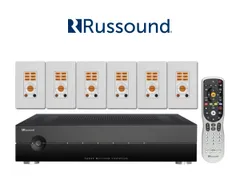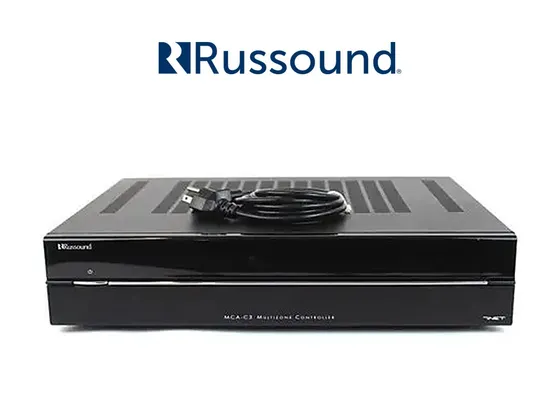
Integration driver for the Russound MCA-C3 multizone controller amplifier in ELAN, over the network (TCP/IP), straight to the device with no gateway. The MCA-C3 has 6 zones and 6 sources, and a single installation of the driver brings all of them into ELAN.
Each zone appears in ELAN with power, source, volume and mute, plus bass, treble, balance, turn-on volume, loudness, Party Mode and Do Not Disturb. The MCA-C3 notifies the driver of every change, so whatever is done on the Russound keypad shows up in ELAN right away.
Source 1 is the built-in AM/FM tuner: ELAN shows the frequency and station name, with seek and direct frequency tuning.
Installation
- Set a static IP on the MCA-C3 and check that port 9621 is reachable from the ELAN controller.
- In Nice Configurator, on the Media tab, add a Zone Controller, import the ZoomDH Russound MCA-C3, enter the MCA-C3 IP and install.
- Enter the license key in License Key.
- With more than one Russound controller linked, set the Controller Index of each installation.
Features
- Power, source, volume and mute per zone, with real state feedback
- Bass, treble and balance from -10 to +10, and turn-on volume
- Loudness, Party Mode and Do Not Disturb per zone
- Built-in AM/FM tuner with frequency, station name (RDS), seek and direct tuning
- Real-time updates of changes made on the Russound keypad
- Per-zone event log in ELAN
Requirements
- MCA-C3 on the same network as the ELAN controller, with a static IP
- MCA-C3 TCP port 9621 reachable from the controller
Release notes
- 2026.10.19
Updated the libraries and the licensing system. New documentation (PT/EN).
- 2026.08.11
Built-in AM/FM tuner: frequency, station name, seek and direct tuning. Fixed volume adjustment from ELAN.
- 2026.08.05
Initial version.