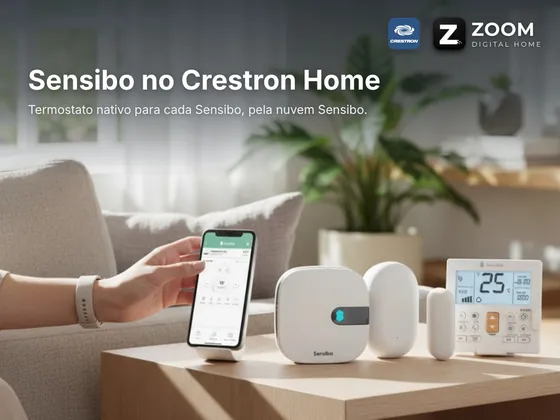
Driver that integrates Sensibo air conditioner controllers (Sky, Air, Air Pro and Elements) with Crestron Home. It uses the official Sensibo cloud API with the customer’s account API Key and finds every Sensibo on the account on its own.
Each Sensibo shows up in Crestron Home as a native thermostat, with setpoint, room temperature, power and modes, ready for scenes and events. Each unit’s screen also has fan speed, swing, Climate React, temperature and humidity, showing only the options the air conditioner accepts in the current mode. Changes made with the remote or the Sensibo app show up in Crestron Home on the next poll.
Installation
- Import ZoomDH_Sensibo_Cloud.pkg into the processor with Crestron Home Setup
- Add the Sensibo → Sensibo Cloud device to a room
- Fill in the Sensibo API Key and, if you have one, the License Key (the driver has a 30-day trial)
- In Pair Devices, open the Sensibo Cloud row and add each Sensibo found to its room
Interface
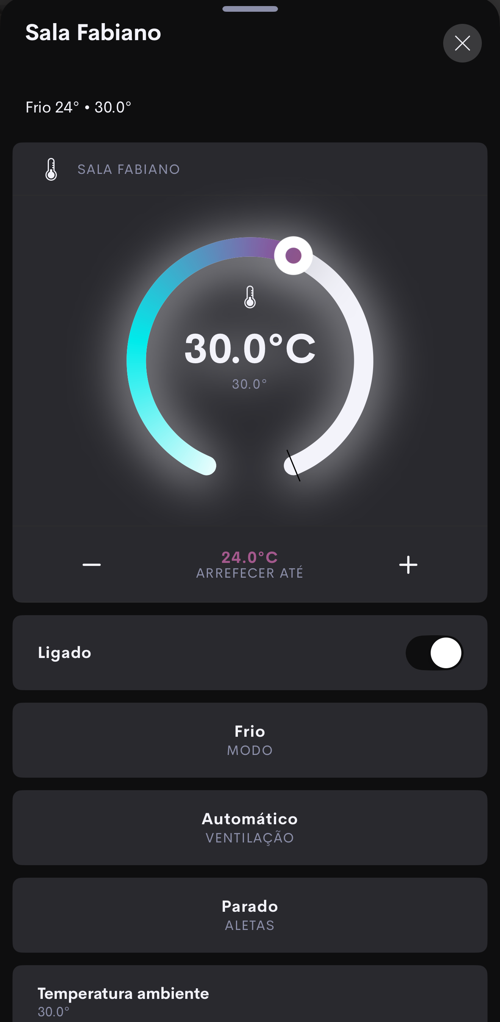
Features
- Automatic discovery of the account's Sensibo units, each as a thermostat named after its room in the Sensibo app
- Native thermostat in Crestron Home - setpoint, room temperature, power, Cool, Heat, Auto, Dry and Fan modes
- Fan speed and swing, showing only the options each air conditioner accepts in the current mode
- Turns on and off the Climate React set up in the Sensibo app
- Temperature and humidity measured by the Sensibo
- Changes made with the remote or the Sensibo app show up in Crestron Home within seconds
- Programmable commands for scenes and events - power on, power off, modes and setpoint up/down
- Screens in Portuguese and English
Requirements
- Sensibo already set up in the Sensibo app and connected to the customer's Wi-Fi
- Customer's Sensibo account API Key (home.sensibo.com/me/api)
- Crestron Home processor with internet access
Release notes
- 2026102405
First release: the account's Sensibo units as Crestron Home thermostats, with setpoint, power, modes, fan level, swing, Climate React, temperature and humidity, programmable commands, Portuguese/English pages and ZoomDH license.