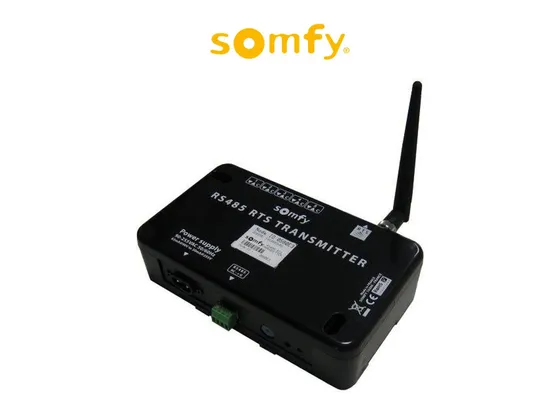
Driver for the Somfy RTS RS485 interface (black model), which controls shades, blinds and awnings with Somfy RTS motors from Control4 through the RS-232 serial port.
Each motor is a shade driver bound to one of the interface’s 16 channels. With the travel time entered, the driver estimates the position and lets you open or close to a level with the slider on Control4 screens; without it, it offers open, close, stop and the favorite position (My).
Installation
- Add the ZoomDH – Somfy RS485 RTS Transmitter driver and bind the RS-232 connection to the controller serial port.
- Enter the key in “License Key” (the driver has a 30-day trial).
- Add one ZoomDH – Somfy RTS Blind driver per motor and enter the interface ID and channel.
- Put the motor in programming mode with the Somfy remote and use the “Configura Canal” (configure channel) Action.
- Set “Tempo de Curso” (travel time) to get a position slider, or leave it at 0 for open, close and stop only.
Features
- Up to 16 Somfy RTS motors per interface, one per channel (0 to 15)
- Open, close, stop and favorite position (My)
- Position from 0 to 100% with a slider, estimated from travel time, or just open, close and stop
- Motor programming directly from the driver Actions
- Adjustable delay between commands for scenes with several shades
Requirements
- Somfy RTS RS485 interface (black) connected to an RS-232 serial port on the controller
- Somfy remote already programmed on each motor, for pairing
- Control4 OS 2.9.1 or later, with internet access for the license
Release notes
- 20261016
Library and licensing system update, with a 30-day trial. HTML documentation (PT/EN). Interface ID and channel checked before sending, with a warning in Driver Information. New Driver Information property. The Somfy RTS Blind driver was also updated, with position, stop and toggle fixes (see its documentation).
- 201
Internal fixes.
- 200
Licensing system update.