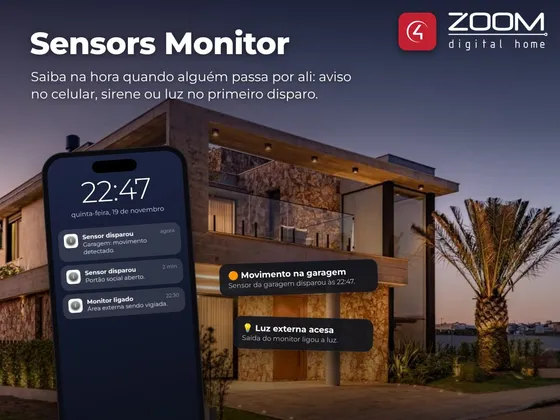
ZOOM Sensors Monitor watches a group of sensors in the project and notifies when any of them triggers. Use it to watch an area while the alarm is off, know when someone enters a room, or drive a siren, light or camera.
The first trigger fires the programming event, switches the contact and relay outputs and sends the notification. While there is movement the notice does not repeat; once every sensor has been idle for the chosen time, the monitor notifies again.
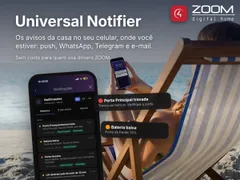
The monitor is turned on and off from the Navigator icon, keypad buttons with LED or programming. Notifications go out through ZOOM Universal Notifier, by push, WhatsApp, Telegram or e-mail.
Installation
- Add the ZOOM Sensors Monitor driver to the room in Composer Pro.
- Enter the key in License Key (the driver has a 30-day trial).
- In Monitored Sensors, pick the sensors to watch and set Clear Status Timer.
- For notifications, bind the Notifier connection to ZOOM Universal Notifier.
- To show the icon, in each room go to Navigator → Menu Settings and set Sensors Monitor as Visible.
Features
- Watches any mix of motion, door, window, beam, pressure, gate and garage sensors
- One notice per occurrence, without repeating while there is movement
- Notifies again after every sensor has been idle for the chosen time
- Turned on and off from the Navigator icon, keypads (with LED) or programming
- Contact and relay outputs for a siren, light or other devices
- Keypad buttons can be monitored too
- Notifications by push, WhatsApp, Telegram or e-mail with ZOOM Universal Notifier
- Shows which sensors are triggered and the last notice
Requirements
- Sensors installed in the project
- Optional - ZOOM Universal Notifier to receive notifications
Release notes
- 20261119
More stability: notifications no longer stop after the controller restarts, sensor states are kept across restarts (no false notice and no missed open door) and the on/off state is restored correctly. The license no longer drops on a brief internet outage. Notifications through ZOOM Universal Notifier (push, WhatsApp, Telegram, e-mail). New Active Sensors and Last Trigger properties, TOGGLE command and new documentation. Updated link to the ZOOM Universal Notifier: use the Notifier from 11/19/2026 or newer.
- 300
General fixes.