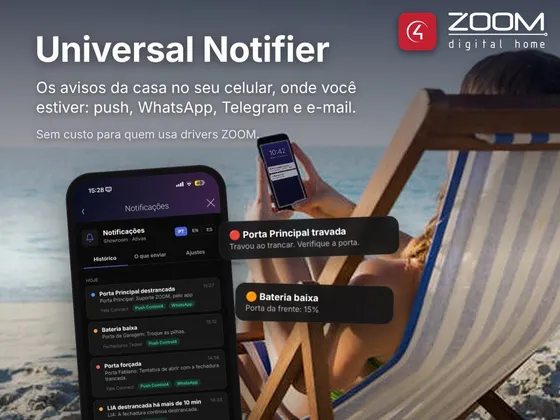
ZoomDH Universal Notifier is the notification hub for ZOOM drivers on Control4, at no cost for ZOOM driver users. Instead of each driver having its own push and WhatsApp settings, they all notify the Notifier, which sends through the chosen channels: Control4 push, e-mail, WhatsApp, Telegram or webhook.
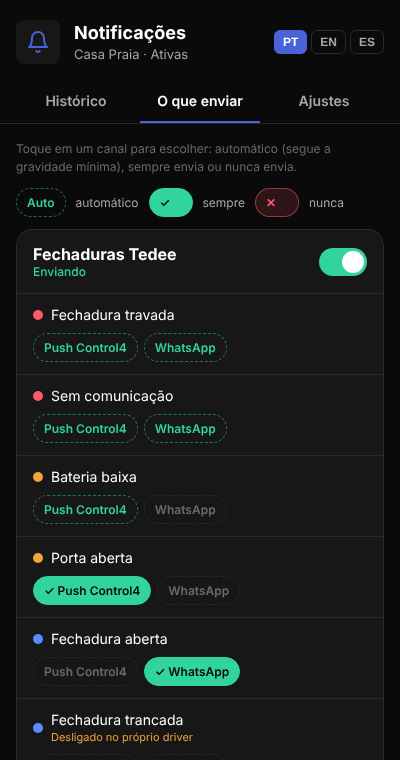
Each notice has a severity (critical, warning or info). For each channel you set the minimum severity and, on the Navigator screen, you can fine-tune event by event: for example, lock jammed by push and WhatsApp, low battery by push only, door open by WhatsApp only.
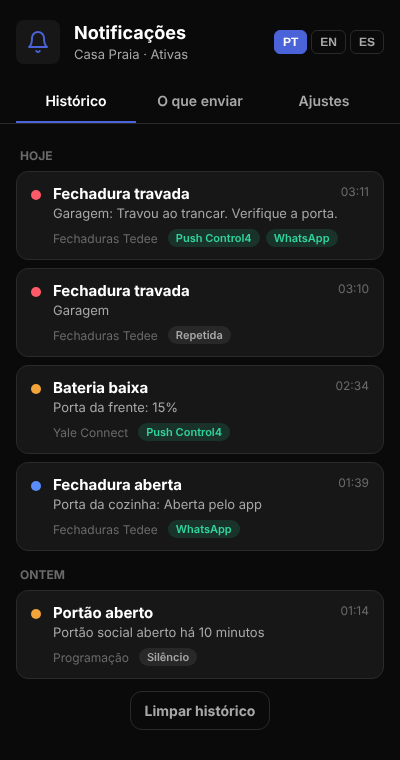
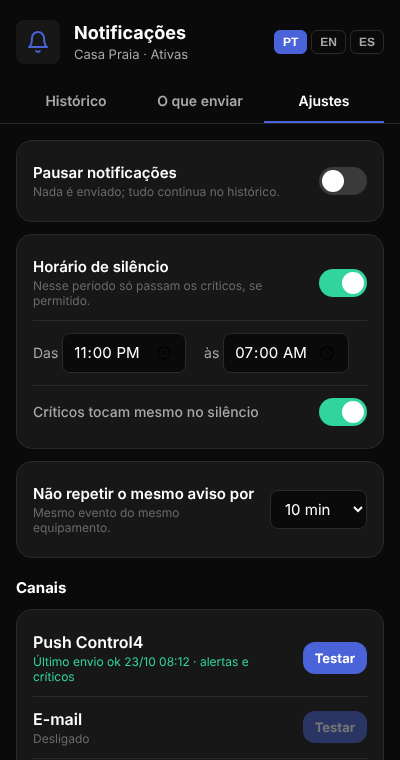
The Notifier also keeps a history of what was sent, has quiet hours (critical notices can go through), a global pause and repeat suppression so the same notice is not sent over and over. Control4 programming can use the Notifier to send its own messages.
In the source drivers, such as Yale Connect and Tedee, the user also picks whether that driver sends everything, alerts only or nothing.
Installation
- Add the ZoomDH Universal Notifier driver to the project in Composer Pro.
- On the Connections tab, bind the Notifier connection of each ZOOM driver to the Notifier’s Notifications connection.
- In the properties, enable the channels you want and fill in each one’s details (WhatsApp, Telegram, e-mail, webhook). For push, add the Push Notification agent to the project.
- Use the Send Test Notification action to check the channels.
- To show the interface, in each room go to Navigator → Menu Settings and set the Notifier as Visible.
Interface
Features
- One place to set up notifications for every ZOOM driver in the project
- Sends by Control4 push, e-mail, WhatsApp (TextMeBot, Whapi.Cloud or CallMeBot), Telegram and webhook
- Severity on each notice (critical, warning, info) and minimum severity per channel
- Navigator screen to pick, event by event, which channels each notice goes to
- Notification history with the channel used and the reason when it was not sent
- Quiet hours (optionally letting critical notices through), pause and repeat suppression
- Notifications from Control4 programming too
- Each source driver also picks whether it sends everything, alerts only or nothing
- Interface in Portuguese, English and Spanish
Requirements
- ZOOM drivers with Notifier support (e.g. Yale Connect, Tedee)
- For push and e-mail, the Push Notification and Email Notification agents in the project
- For WhatsApp and Telegram, an account with the chosen service and a controller with internet access
Release notes
- 20261023
Initial version: Control4 push, e-mail, WhatsApp, Telegram and webhook; per-event and per-channel choice on the Navigator interface (PT/EN/ES); quiet hours, pause, repeated-alert protection and history. Replaces the ZoomDH WhatsApp Message driver.