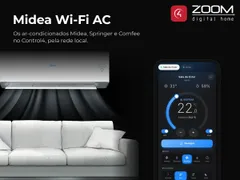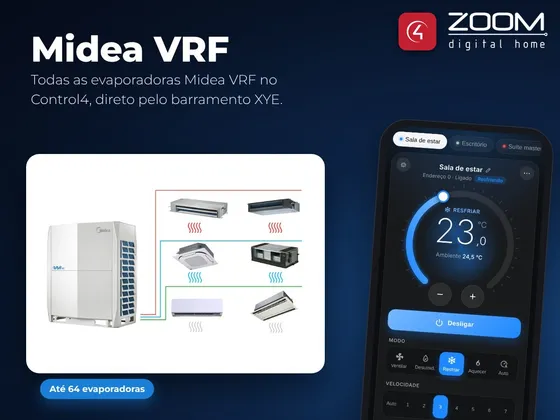
The Midea VRF driver integrates Midea VRF air conditioning systems with Control4 over the XYE bus, with an RS-232/RS-485 converter on the controller serial port. No Midea gateway is needed. Each indoor unit can get its own Control4 thermostat, ready for Navigator, scenes and programming, and the driver icon opens a screen with all indoor units of the system, with All Off and control even of units without a thermostat in the project.
The package has two drivers that work together:
- ZoomDH Midea VRF Controller: talks to the system, finds the indoor units and shows the interface
- ZoomDH Universal HVAC Indoor Unit: one thermostat per indoor unit
Installation
- Wire the converter RS-232 side to the controller serial port and the RS-485 side to the bus: X → A, Y → B and E → GND. Power the converter.
- Add the Midea VRF Controller driver to the room where the interface should appear.
- In Connections, connect the controller serial port to the driver Serial RS-232 connection and enter the License Key (the driver has a 30-day trial).
- The driver finds the indoor units and creates a Unit N connection for each one.
- For each indoor unit that should have a thermostat, add a Universal HVAC Indoor Unit to the right room and bind it to the unit connection.
Note: most RS-232/RS-485 converters only work with external power.
Interface
Features
- Up to 64 indoor units, with control and state feedback
- Automatic indoor unit search (addresses 0 to 63), with one connection created for each
- Fan, Dry, Cool, Heat and Auto modes; Auto and 7 speeds fan; Swing or Fixed air direction
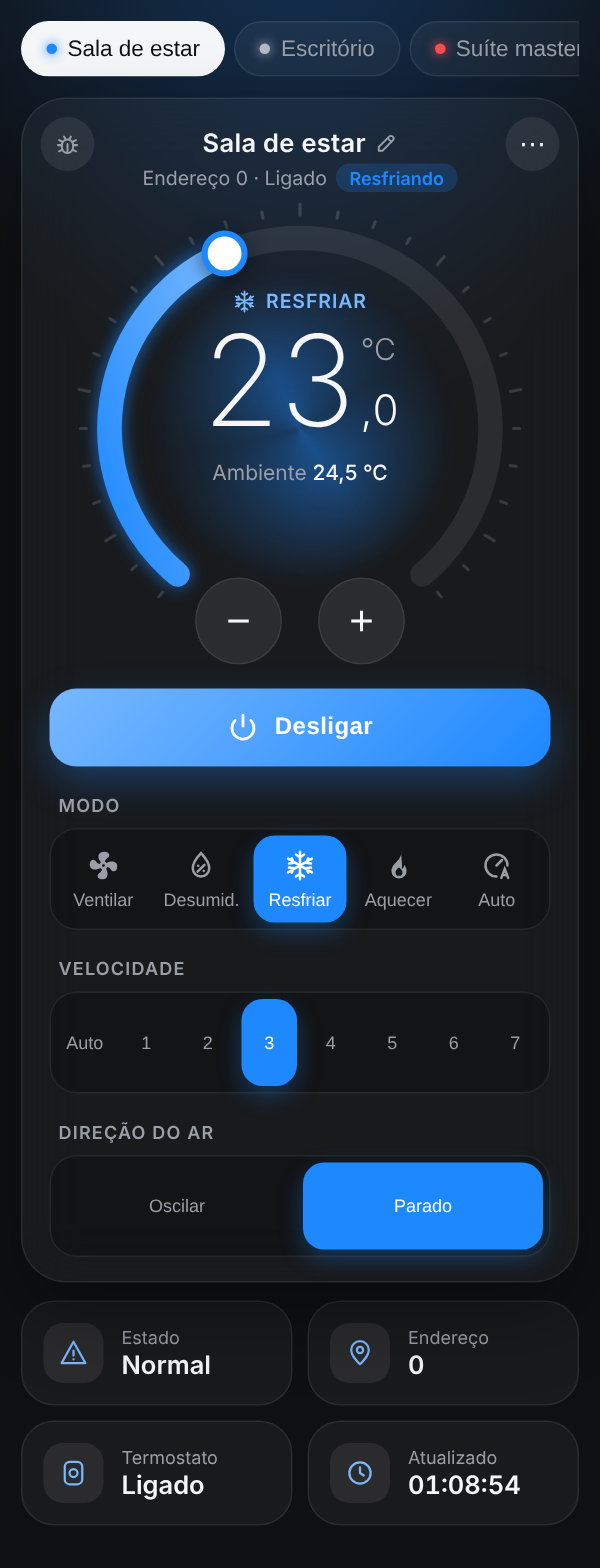
- Navigator interface with all indoor units - mode, setpoint, fan and room temperature
- Per-room choice of which indoor units appear in the interface and which one opens first
- Indoor units can be controlled from the interface even without a thermostat in the project
- Show or remove units from the screen, rename and All Off, all saved in the driver
- Interface and setup page in Portuguese and English
- Works with the ZoomDH thermostat group driver, presets and schedules
Requirements
- Externally powered RS-232/RS-485 converter
- Access to the Midea system XYE bus wiring
- Free RS-232 serial port on the Control4 controller
- Control4 OS 3.3 or later
Release notes
- 20261023
Navigator interface with the look of the ZoomDH air conditioner drivers: temperature dial, indoor unit tabs, animated current operation, menu with show/hide, rename, All off and setup page. Per room choice of which indoor units show up and which one opens first. New icon with the VRF system and the Midea logo. New Web Page Port, Web UI URL and Setup Page URL properties and All Off, Resend Web URL and New Web Key actions. Licensing library update. New documentation. Requires OS 3.3.
- 20260417
Fixed status reading with older and newer protocol versions.
- 20260223
Fixed the setpoint decimal separator.
- 20260130
Adjusted to the new firmware version.
- 20250318
Fixed the mode when changed by the Midea remote control.
- 20250220
Minor fixes.
- 20240919
Initial version.