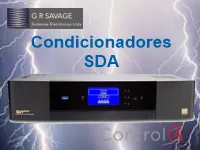
This driver integrates Savage SDA line power conditioners with Control4 over RS-232 serial, to monitor the device status and control its power banks.
The banks have relay connections that can be bound to standard Control4 drivers, and the conditioner and bank icons can be shown in Navigators.
Installation
- Add the driver to the project and make the RS-232 serial connection
- In the Navigator settings in Composer, choose the rooms where the conditioner and bank icons will be shown
- Use the bank relay connections to bind to standard Control4 drivers
- Adjust “SDA Icon Control” and “Block Icon Control” as desired
Features
- Power conditioner status monitoring
- Power bank control
- Conditioner and bank icons in Navigators
- Bank relay connections for use with standard Control4 drivers
- Configurable icon control ("SDA Icon Control" and "Block Icon Control")
More details about this driver: drivers@zoomdigitalhome.com.br