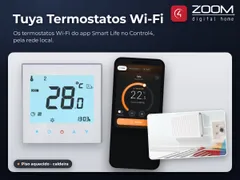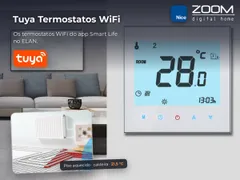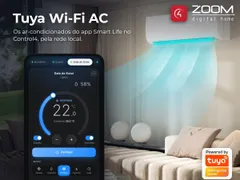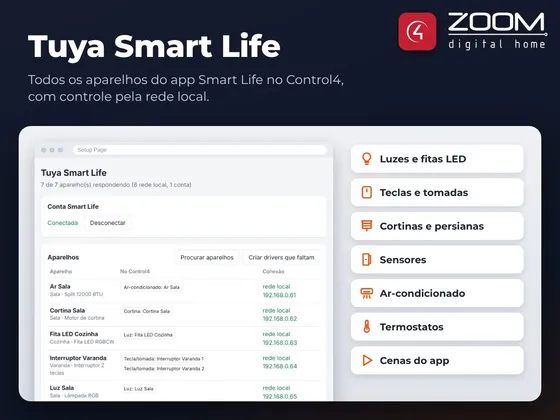
Driver that integrates the devices of the Smart Life and Tuya Smart apps with Control4, from any brand built on Tuya: lights, dimmers, LED strips, switches, outlets, curtains, blinds, sensors, air conditioners and thermostats, plus the app scenes.
The Smart Life account signs in with a QR code, with no Tuya IoT Platform sign-up and no device limit. The driver brings in every device in the account, finds each one on the network and automatically creates the driver for each light, switch, outlet, curtain, air conditioner and thermostat, already connected, named and placed in its app room. Wi-Fi devices are controlled straight over the local network, with instant response. Zigbee or Bluetooth devices behind a Tuya hub, battery sensors and devices that stop answering on the network stay controlled through the account itself.
The app “Tap-to-Run” scenes are available in Control4 programming, and changes made in the app, on the switch or on the device show up in Control4.
The package has four drivers:
- ZoomDH Tuya Smart Life: account, device and scene search, setup page and license
- ZoomDH Universal Light: one per light, dimmer channel, gang or outlet
- ZoomDH Universal Blind: one per curtain or blind
- ZoomDH Universal Thermostat: one per air conditioner or thermostat
Installation
- Install the four package drivers in Composer
- Add the Tuya Smart Life driver to the project and enter the key in License Key (the driver has a 30-day trial)
- Open the Setup Page URL, paste the User Code from the Smart Life app and scan the QR with the app
- The driver brings in the devices and scenes and creates and connects each one’s driver, in the app room
- Connect the sensors to Control4 contact drivers and refresh the Navigators
Features
- Smart Life account sign-in by QR code, no Tuya IoT Platform sign-up and no device limit
- Local control of Wi-Fi devices, with instant response, working without internet after setup
- Smart Life account as backup for Zigbee/Bluetooth devices, battery sensors and devices that stop answering on the network
- Automatic creation of one driver per light, switch, outlet, curtain, air conditioner and thermostat, already connected, named and placed in the app room
- Lights with dimming, color temperature and color in Navigator
- Curtains with open, close, stop and exact position on models with position
- Air conditioners and thermostats as native thermostats in Navigator
- Sensors ready for programming
- App "Tap-to-Run" scenes in Control4 programming
- Changes made in the app, on the switch or on the device show up in Control4
- Setup page in Portuguese and English
Requirements
- Devices already set up in the Smart Life or Tuya Smart app
- Access to the customer's Smart Life account for the first setup
- Wi-Fi devices and Control4 controller on the same network
- Internet access on the controller (required for Zigbee/Bluetooth devices, sensors and scenes)
Release notes
- 20261109
Full driver: lights, dimmers, LED strips, switches, outlets, curtains, sensors, air conditioners and thermostats from the Smart Life account, automatically created in the app room, local control of Wi-Fi devices, account as fallback and for Zigbee/Bluetooth devices, app scenes in programming, setup page in Português/English and ZoomDH license.
- 20261028
Test version: account connection with the Smart Life app QR code, list of homes, devices and scenes, and test command.